On the back
- Genre
- Io
- Made by
- Vectaria
- Devices
- Desktop, phone, tablet
- Input
- WASD or arrows, Space, C
- Session
- Online matches
- Sign-in
- Not needed to start on Poki
- Fits
- Mild cartoon action
- Updated on Poki
- November 2026
No. 101Io
MineFun.io
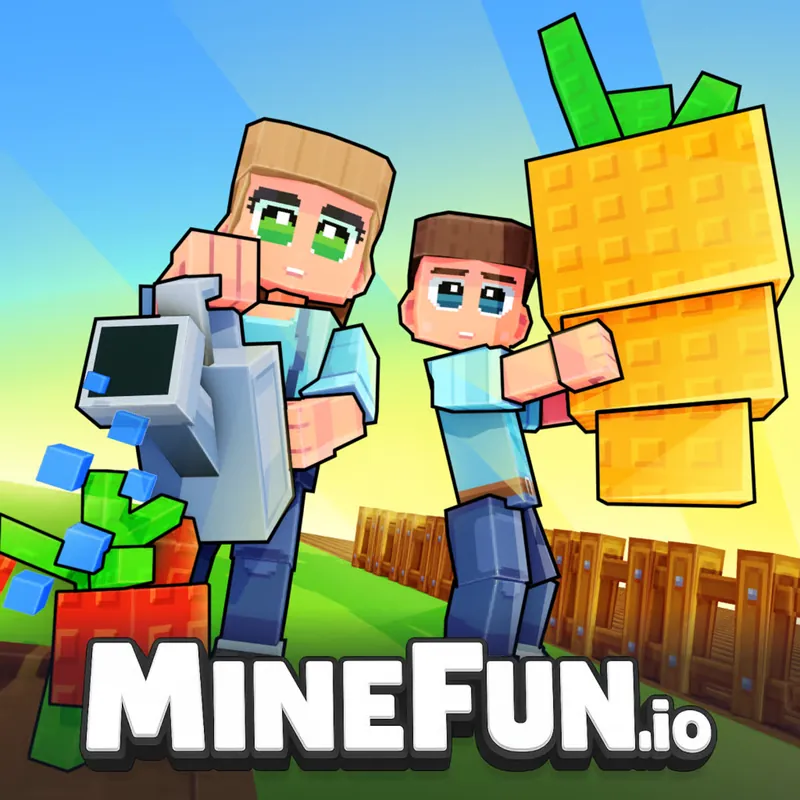
MineFun.io is a multiplayer adventure set in a block world. You make a skin, pick one of nine maps and run, jump and collect coins, alone among other players or in a private room with friends.
Start to finish
Start by making a skin. Poki lists it as part of the game, and it is how your character looks to other players in the world. Skins can also be collected with coins later, so the first look does not have to be final.
Next, choose a map. Poki lists nine, covering obstacle-course and parkour runs, a zombie mode and island maps. The maps play differently, so the same controls get used in different ways: precise jumps on a parkour course, constant movement when zombies are around.
Movement is the whole control scheme on a keyboard: WASD or the arrow keys walk, Space jumps and C crouches. Collect coins as you go and spend them on skins. To play with people you know, open a private room: the game gives the room a code, and friends who enter the same code join the same room.
A first session can be short. Pick a map, try the movement keys for a minute, then decide whether you want the focus of an obstacle course or the busier feel of a mode with other players around. Nothing in the controls changes between maps, so what you learn on one carries to the next.
A note on the zombie mode and the other modes: Poki lists them next to the obstacle and island maps, so the same account of keys applies throughout. If you switch from a parkour map to an island or a mode with other players around, expect the pace to change even though the keys do not.
What each key does
- WASD / Arrows
- Move
- Space
- Jump
- C
- Crouch
Handy hints
- No. 1
Try the obstacle-course maps first. Jumping and crouching are all they ask for, which makes them a quiet way to learn how far one Space press carries you.
- No. 2
Use C to crouch before you commit to a tight gap, then jump from a standing position. Doing both in one motion is where most missed jumps start.
- No. 3
Pick up coins on the way instead of detouring for them, and save them for a skin you actually want.
- No. 4
To play with friends, one person opens a private room and shares the room code. Everyone else types that code to join.
- No. 5
If you get stuck on one obstacle, leave the map and try another. Poki lists nine, and a different layout can feel easier right away.
A good match when
Players who like a colourful block world, short runs on obstacle courses, and the option to share a room with friends. It is a good fit if you want one set of simple controls and a lot of variety in what you do with them, whether that is racing a course, surviving a mode or just collecting coins for a new look.
Drawbacks to expect
Poki shows ads around its games, so expect an ad before or between sessions.
Matches are online, so other players share the map with you and the pace is not fully in your hands.
Precision jumping on the parkour maps takes practice, and a missed jump can mean starting that stretch again.
The game is aimed at a broad audience, so chat and player behaviour in public rooms are outside what this site can describe. A private room is the way to control who is there.
Questions
Can I play MineFun.io with friends?
Yes. Poki describes private rooms: you get a room code and friends use it to join the same room.
Does it work on a phone or tablet?
Poki lists desktop, phone and tablet. The key list on this page is for a keyboard; on a touchscreen the game uses its own on-screen controls.
What are the nine maps?
Poki says there are nine maps, including obstacle-course and parkour maps, a zombie mode and islands. Open the game on Poki to see the full list.
Do I need to download anything?
No. Poki opens MineFun.io in the browser tab, so there is nothing to install.
Runs on poki.com
The game runs on poki.com in your browser, not on this site. The link opens Poki's page in a new tab.
Open MineFun.io on Poki →